

Backing up Microsoft Outlook emails to a Personal Storage Table (.pst) file is important because it creates a portable, local copy of your mailbox data, protecting you against server outages, accidental deletions, or account migrations
- Select File > Open & Export > Import/Export.

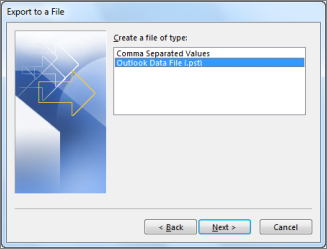
- Select Export to a file, and then select Next.

- Select Outlook Data File (.pst), and select Next.
- Select the mail folder you want to back up and select Next.

- Choose a location and name for your backup file, and then select Finish.

- If you want to ensure no one has access to your files, enter and confirm a password, and then select OK.
The messages that you keep in a .pst file are no different from other messages. You can forward, reply, or search through the stored messages as you do with other messages.